7 Best DICOM Viewer Apps in 2026
Your DICOM viewer keeps timing out mid-read, or the license renewal costs more than the scanner maintenance. Switching tools means weighing image quality, sharing speed, and price against a clinical workflow you cannot afford to interrupt.
This guide ranks the 7 best DICOM viewer apps in 2026, from cloud platforms like Medicai to desktop and mobile options, and explains what separates them. You will get concrete criteria for matching a viewer to your workflow and budget, plus a clear top pick to start from.
What to Look For in a DICOM Viewer App
Selecting a DICOM viewer app in 2026 requires balancing clinical needs, technical capabilities, and regulatory compliance to ensure seamless integration into your radiology workflow. The market for medical imaging software has grown crowded, and feature lists often look similar on paper. The differences show up in image quality, standards support, and how well a tool fits your existing PACS and reporting stack.
Use the checklist below as a practical framework. Not every practice needs every item, but each criterion points to a real decision you will face during evaluation or procurement.
Image rendering and core viewing tools. Start with diagnostic image quality. A viewer should render DICOM files quickly and faithfully across modalities such as CT, MRI, ultrasound, and digital radiography. Windowing and leveling must feel responsive, and preset window settings should be configurable per modality.
Beyond basic display, confirm the presence of measurement tools, annotation, and region-of-interest analysis. Calibrated measurements, angle and area tools, and exportable annotations matter for diagnostic imaging and for second reads.
Advanced visualization. Many 2026 viewers now offer capabilities once limited to dedicated workstations:
- MPR for multiplanar reformatting of volumetric studies
- 3D reconstruction and volume rendering for surgical planning
- Segmentation tools for isolating anatomy or lesions
These features add value in orthopedics, oncology, and cardiology, but they also raise hardware and licensing considerations. Match the level of visualization to your actual case mix rather than paying for capability you will rarely use.
AI-assisted imaging. AI features are increasingly common, ranging from triage flags to automated measurements. Research suggests these tools can speed up reading, but the quality and validation of each algorithm varies widely. Ask how AI outputs are labeled, whether they are cleared for clinical use, and whether results can be reviewed and overridden by the radiologist.
Interoperability standards. A modern viewer should support DICOMweb alongside the classic DICOM standard, which simplifies integration with cloud archives and web-based viewer architectures. HL7 and FHIR support matters if the viewer needs to exchange orders, reports, or patient context with an EMR or RIS.
Confirm that PACS integration works with your existing archive, whether on-premises or cloud-based. Poor interoperability is one of the most common reasons imaging deployments stall.
Regulatory clearance and data security. For clinical use, look for FDA-cleared or CE-marked status where applicable, and verify the intended use statement matches your setting. On the security side, check for HIPAA compliance in the US and GDPR alignment in Europe, plus encryption in transit and at rest, role-based access, and anonymization options for research or teaching.
Deployment and cross-platform access. Decide whether you need desktop DICOM software, a mobile DICOM viewer, or a web-based viewer. A zero-footprint viewer that runs in the browser avoids local installs and simplifies updates, which is especially useful for teleradiology and distributed teams.
Cloud-based DICOM platforms add flexibility for remote reading and storage scaling, but they depend on reliable connectivity. Weigh that tradeoff against your reading environment and network quality.
| Criterion | What to Confirm |
|---|---|
| Rendering and tools | Fast DICOM loading, windowing, leveling, measurement, annotation |
| Advanced visualization | MPR, 3D reconstruction, volume rendering, segmentation |
| AI-assisted imaging | Validated algorithms, clinician override, clear labeling |
| Interoperability | DICOMweb, HL7, FHIR, working PACS integration |
| Compliance | FDA-cleared or CE-marked, HIPAA, GDPR, encryption |
| Deployment | Web-based zero-footprint, mobile, desktop options |
Run a short trial with real studies from your archive before committing. Test load times on large CT series, check how annotations export, and confirm that support staff understand imaging workflows. A viewer that passes these checks is far more likely to hold up in daily use.
1. Medicai - Best Overall
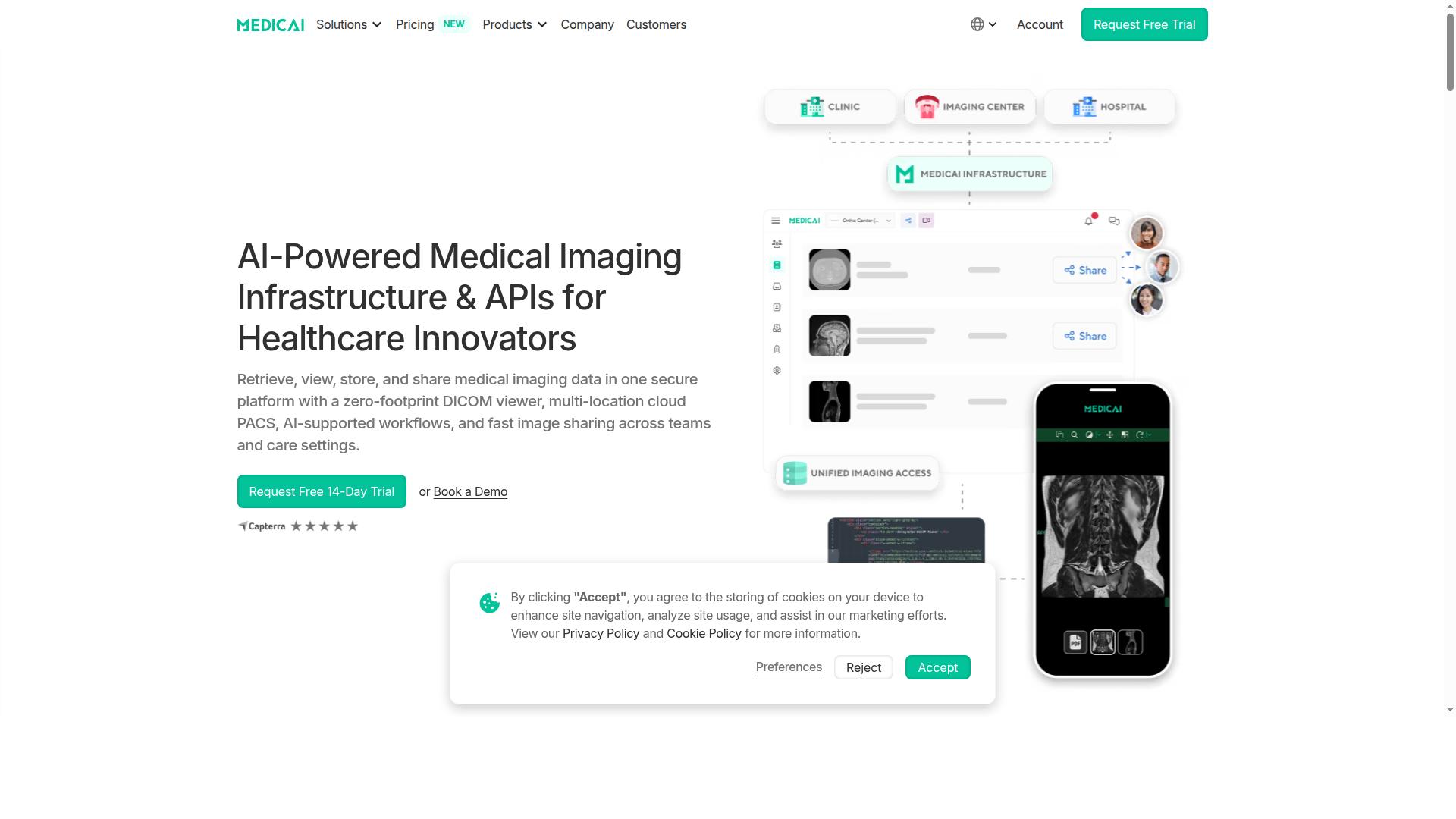
Medicai stands out as the best overall DICOM viewer app in 2026, combining a zero-footprint viewer, cloud PACS, and collaboration features to streamline medical imaging workflows. It is a cloud-based medical imaging platform that lets healthcare providers retrieve, view, store, and share medical imaging data securely.
Because the viewer runs in a browser, teams can open DICOM files from any location without installing desktop DICOM software. That makes it a practical fit for radiology departments, teleradiology groups, and multi-site clinics alike.
The platform is HIPAA and GDPR compliant and follows OWASP security guidelines, which matters when diagnostic imaging leaves a local network. FDA/CEE cleared viewers are also available for clinical use.
Scale is another signal of maturity. Medicai reports 70 clinics and hospitals on the platform, more than 10,000 active doctors, and 2M+ imaging studies uploaded. Those numbers suggest a product tested in real clinical settings rather than a demo tool.
The details below cover the core features and pricing that explain why it takes the top spot.
Zero-Footprint Viewer, Cloud PACS, and Collaboration Features
Medicai's zero-footprint DICOM viewer eliminates the need for local installations, providing instant access to medical images via any web browser while ensuring secure collaboration and efficient workflow. There is no desktop DICOM software to update or maintain on each workstation.
The broader platform covers the full imaging lifecycle through several connected modules:
- Connect and retrieve: Medical Imaging Uploader and DICOM Gateway
- Store and manage: Cloud PACS, Medical Image Exchange, Patient Case Management, Vendor Neutral Archive, and Backup and Disaster Recovery
- Access and collaborate: DICOM Viewer, Doctor Imaging Portal, Patient Imaging Portal, Structured Reporting for Radiology, Medicai Imaging API, and a Mobile Imaging App
Advanced visualization tools support image rendering work such as 3D reconstruction, MPR, volume rendering, segmentation, and AI-assisted imaging. Windowing, leveling, measurement tools, and annotation are part of the same viewing environment, so medical image analysis stays in one place.
Collaboration features make sharing and second opinions straightforward, including support for tumor boards and teleradiology. Interoperability rests on DICOMweb, HL7, and FHIR, which helps with PACS integration and connecting external systems.
Medicai also offers a Radiology AI Co-Pilot and AI-powered diagnostics, and reports that the platform reduces diagnosis time by 65%. For teams weighing a web-based viewer against a cross-platform viewer with local storage, this combination of storage, exchange, and collaboration in one system is the main draw.
Pricing and 14-Day Free Trial
Medicai offers transparent pricing plans starting at $249 per month for 500 GB of cloud storage, with unlimited user accounts and a 14-day free trial to test the platform. No credit card is required for the trial.
Three tiers cover most organizations:
| Plan | Monthly Price | Storage | Connected Locations |
|---|---|---|---|
| Starter | $249/month | 500 GB | None |
| Standard | $749/month | 2 TB | One |
| Enterprise | Custom pricing | Custom | Multiple, plus external locations |
Yearly billing saves 15%, bringing Starter to $209 per month and Standard to $639 per month when paid annually. A DICOM Gateway setup fee of $1,000 applies once per location, and per-study pricing is available for enterprise customers.
The Starter plan suits small practices and individual radiologists who mainly need cloud storage and viewing. The Standard plan fits clinics that need a connected location feeding images into the cloud PACS. Enterprise covers hospital groups with several sites and external partners.
Unlimited user accounts on every tier keep costs predictable as a team grows, which is a different model from per-seat licensing common in radiology apps. Refunds are not available for partial periods, so the free trial is the right way to evaluate fit before committing.
2. IMAIOS DICOM Viewer
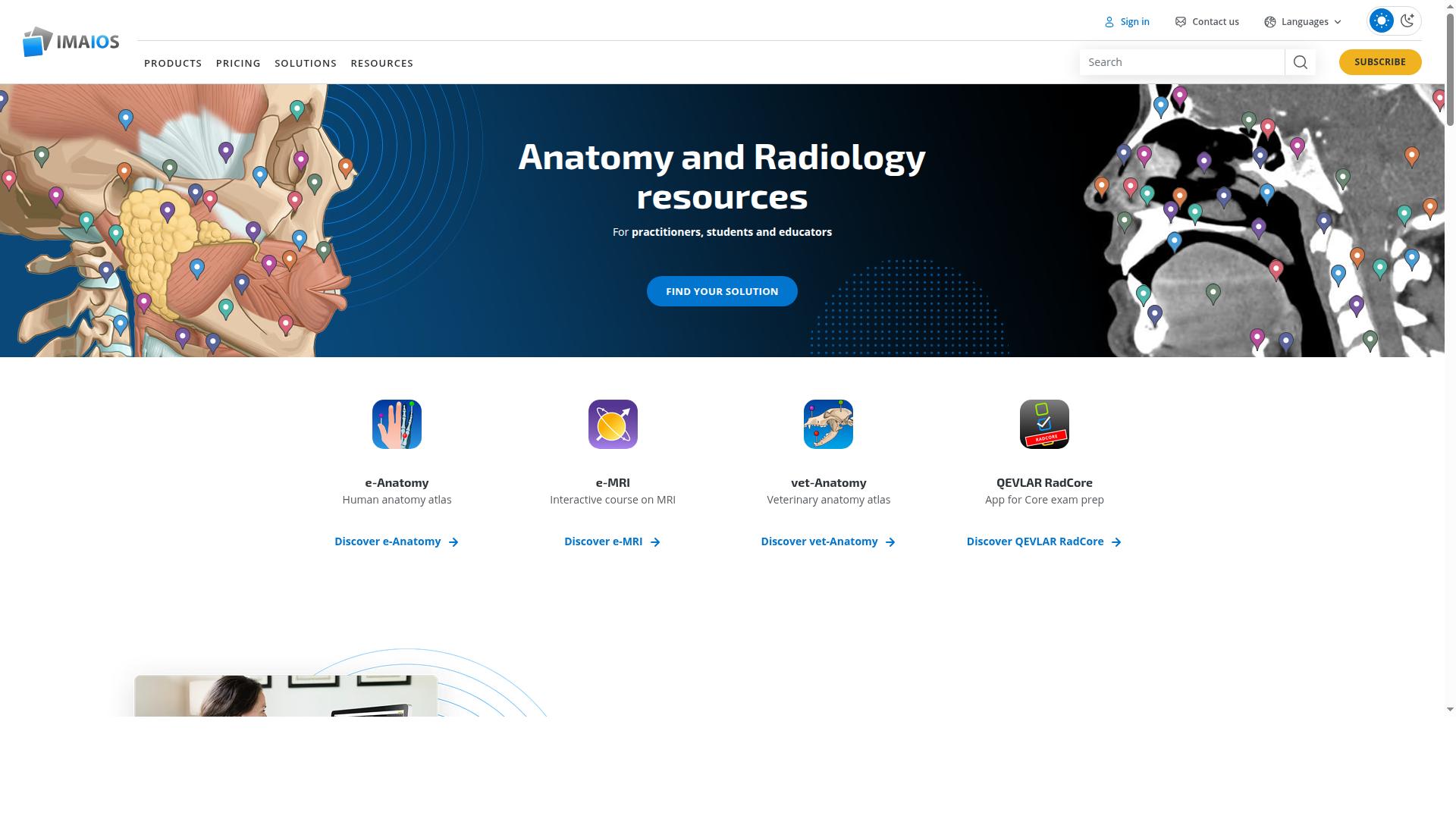
IMAIOIS DICOM Viewer is a web-based, cross-platform solution known for its user-friendly interface and extensive medical imaging atlas, making it a popular choice for education and clinical use. It runs in the browser, so users can open DICOM files without a heavy desktop install.
The tool is closely tied to the IMAIOS anatomy resources, which gives it a distinct identity among the best DICOM viewers in 2026. That pairing shapes both its strengths and its limits.
Web-based access is the core of the experience. Because it is a zero-footprint style viewer, it works across operating systems and devices through a browser, which helps with quick reviews and shared learning sessions.
Atlas integration sets it apart. The connection to the IMAIOS anatomy atlas supports teaching, reference, and image interpretation in a way that general-purpose viewers often do not. For students and educators, this is a meaningful advantage.
Typical use cases center on medical education, anatomy study, and lighter clinical review. Radiology trainees and instructors can combine DICOM viewing with anatomical reference material in one place.
Teams that need a simple cross-platform viewer for teaching files or quick image checks may find it a practical fit. It is less oriented toward heavy diagnostic workflows.
Weighing pros and cons helps set expectations:
- Strengths: easy to use, browser-based, cross-platform, and supported by a well-known anatomy atlas.
- Considerations: advanced features such as 3D reconstruction, MPR, and volume rendering are generally the domain of full diagnostic workstations.
- Fit: best suited to education and lighter review rather than demanding clinical image analysis.
Users with strict requirements around PACS integration, DICOMweb, or regulatory clearance should confirm current capabilities directly, since these details can change and should not be assumed.
3. PostDICOM
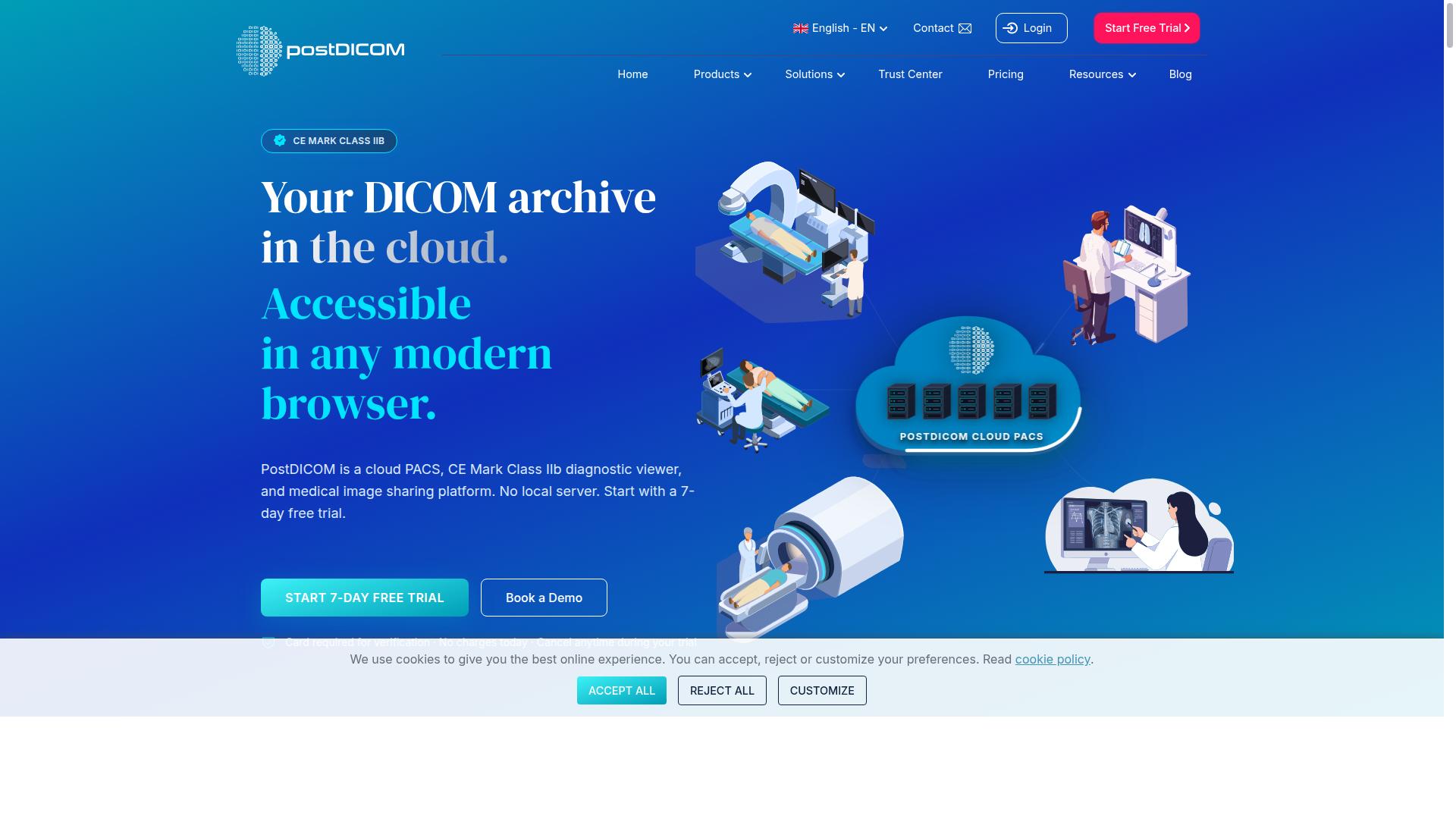
PostDICOM is a cloud-based DICOM viewer and PACS solution that emphasizes accessibility and collaboration for radiologists and healthcare teams. Its core proposition is straightforward: store medical imaging studies in the cloud and open them from a web browser, without a heavy on-site server footprint.
That browser-first design makes it a natural fit for small practices and teleradiology groups that need to view and share DICOM files across locations. Teams that already run a traditional on-premise archive can often layer it on top rather than replace everything at once.
Because the platform is delivered as a hosted service, much of the infrastructure work, such as server maintenance and storage expansion, shifts to the vendor. For clinics without dedicated IT staff, that can meaningfully lower the operational burden of running diagnostic imaging software.
Key capabilities typically associated with this type of cloud-based DICOM viewer include:
- Cloud storage for studies, reducing dependence on local hardware and physical media
- Web-based viewing with standard tools such as windowing, leveling, and measurement
- Sharing of studies with referring physicians or colleagues through secure access
- Cross-platform access, since a browser works on most desktops without a dedicated install
For teleradiology, the sharing and remote-access model is the main draw. A radiologist reading from a different site can pull up a study in a web-based viewer instead of remoting into a hospital workstation. Small practices benefit similarly when they need a second opinion or a referral handoff.
Integrations are worth confirming directly with the vendor. Practices should ask how the platform connects to existing systems, whether through standard DICOM interfaces, HL7 or FHIR messaging, or DICOMweb endpoints. Interoperability details vary by deployment, so a quick technical conversation beats assumptions.
The clearest limitation is reliance on internet connectivity. A cloud-based viewer is only as available as the network connection it runs on, which matters for urgent reads and for sites with unstable bandwidth. Teams should plan for redundancy and confirm offline or local-cache options if uptime is critical.
Buyers should also verify data security arrangements, encryption in transit and at rest, and how the vendor handles HIPAA or GDPR obligations in their region. These are standard due-diligence questions for any cloud PACS, and answers should come in writing rather than from a sales overview.
Overall, PostDICOM suits organizations that value remote access and simple collaboration over deep on-premise control. It is a reasonable shortlist candidate for teleradiology and smaller practices, provided connectivity and integration needs are checked against the realities of daily radiology workflow.
4. OsiriX HD
OsiriX HD is a mobile DICOM viewer for iOS devices, offering advanced visualization tools and seamless integration with OsiriX workstations. It brings the power of a desktop-class radiology app to the iPad and iPhone, which makes it a common choice for radiologists who want detailed medical image analysis away from a fixed workstation.
The app inherits much of the imaging engine that made OsiriX a long-established name in DICOM viewing. Users get multiplanar reconstruction (MPR) for reviewing DICOM files across axial, sagittal, and coronal planes, plus 3D rendering for spatial context. Measurement tools and annotation support windowing, leveling, and markup directly on the touchscreen.
For mobile teleradiology, OsiriX HD is designed to sync with an OsiriX workstation, so studies opened on a desktop can be reviewed on the go. The app is FDA-cleared and CE-marked for diagnostic use, which matters for clinical reading rather than informal review. That regulatory status separates it from many general-purpose mobile DICOM viewers.
OsiriX HD is not a standalone ecosystem. It is built for iOS and pairs most naturally with a macOS-based OsiriX setup, so teams running Windows or mixed environments may find the workflow less convenient. The desktop OsiriX line is also known for a more involved installation process than some competing tools, and the mobile app carries a cost that buyers should confirm against current App Store listings.
- Pros: portable diagnostic reading on iPad and iPhone, MPR and 3D rendering, measurement and annotation tools, tight integration with OsiriX workstations, FDA-cleared and CE-marked
- Cons: iOS-only, best value inside an OsiriX/macOS environment, purchase cost to verify, and no portable PACS of its own
OsiriX HD suits specialists who need advanced diagnostic imaging features on Apple hardware and already rely on the OsiriX family. Teams that need a cross-platform viewer or a cloud-based DICOM workflow should compare it against web-based options before committing.
5. mRay
mRay is a research-driven DICOM viewer that incorporates AI-assisted imaging tools and supports cross-platform access for clinicians and researchers. It sits in a category of tools that pair standard image review with machine learning features, rather than acting as a plain viewer alone.
That combination makes it interesting for teams exploring medical image analysis beyond manual reading. It also means the tool should be evaluated on two fronts: how well it displays DICOM files, and how much you trust the AI layer on top.
mRay's defining feature is its emphasis on AI-assisted imaging. Public descriptions point to automatic detection and segmentation functions, which aim to highlight regions of interest and outline structures inside a scan.
In practice, segmentation can reduce the manual tracing that annotation workflows often demand. Detection features may also help readers flag areas for closer review. Both are best treated as aids to a radiologist's judgment, not replacements for it.
Because these capabilities depend on trained models, output quality can vary by anatomy, modality, and image quality. Research suggests that AI-assisted tools perform best when validated on data similar to what a site actually sees.
mRay is described as available across web and mobile channels, which fits the broader shift toward a cross-platform viewer model. A web-based viewer can support review from a browser, while a mobile DICOM viewer helps with quick checks away from a workstation.
This flexibility tends to appeal to two groups:
- Researchers who need to inspect and annotate images across devices and locations
- Radiologists who want supplementary access beyond a primary diagnostic workstation
For either group, it is worth confirming how the tool handles core functions such as windowing and leveling, measurement tools, and export of annotations before committing to it.
The main appeal of mRay is the pairing of AI features with flexible access. Teams exploring AI-assisted imaging may find it a useful way to experiment with detection and segmentation without replacing their primary diagnostic setup.
The limitations are equally worth weighing. Reliance on AI accuracy is the big one: results are only as good as the underlying models, and edge cases can produce errors that require human review. Regulatory status is another factor, since clearance and compliance details are not something to assume.
Before adopting mRay, check the following:
- Whether the AI features carry any regulatory clearance in your region, such as FDA-cleared or CE-marked status
- How the tool fits with existing PACS integration and standards like DICOMweb, HL7, or FHIR
- What data security and privacy measures apply, including encryption and anonymization options
These questions matter most for clinical use, where HIPAA compliance or GDPR obligations may apply. For research settings, the priorities may lean more toward export options and reproducibility. Either way, treat vendor claims as a starting point and verify details directly.
6. RadiAnt DICOM Viewer
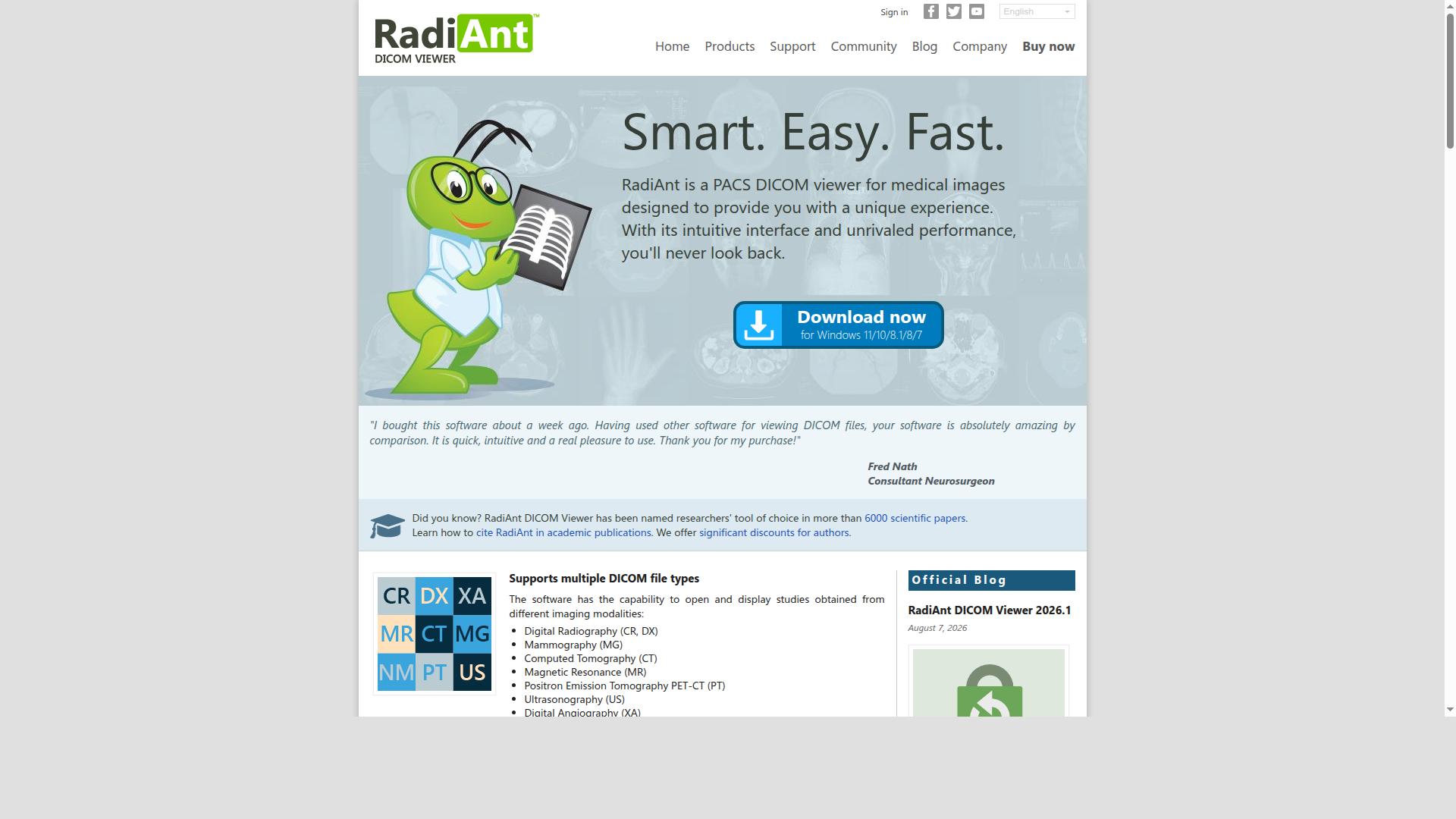
RadiAnt DICOM Viewer is a lightweight, desktop-based DICOM viewer known for its fast image rendering and intuitive interface, making it a favorite among radiologists for quick reviews. It runs on Windows 11, 10, 8.1, 8, and 7, so it fits naturally into environments where workstations already run Microsoft operating systems.
The application is built around speed. Large studies open quickly, and windowing and leveling respond smoothly even on modest hardware. That responsiveness matters during busy reading sessions when a radiologist needs to move through DICOM files without waiting on rendering delays.
RadiAnt includes the measurement and annotation tools most reading workflows require. Users can place calipers, draw regions of interest, and add text labels to support medical image analysis and clear communication with referring clinicians.
Multi-monitor support is another practical strength. RadiAnt can spread studies and tool palettes across several displays, which helps in on-premises reading rooms where a dedicated diagnostic monitor sits alongside a reporting screen.
PACS integration rounds out the feature set. The viewer can connect to a facility's archive so studies load directly from the local network, keeping the radiology workflow contained inside the hospital or clinic infrastructure.
The desktop-only design is a defining trade-off. There is no cloud-based DICOM option and no mobile DICOM viewer, so remote reading depends on other tools. RadiAnt suits on-premises workflows where images stay on local systems and IT teams manage installation and updates.
Licensing is subscription-based per PC or client terminal, with access to the software and all updates for the plan duration. Listed plans include 1 month at 5.69 EUR per PC, 1 year at 39 EUR per PC, and 5 years at 179 EUR per PC, with quantity discounts available. A separate CD/DVD edition is a permanent license at 399 EUR per recorder and includes 12 months of free updates. Prices exclude local taxes.
- Pros: fast image rendering, responsive measurement tools, multi-monitor support, straightforward PACS connectivity, and affordable short-term plans for individual workstations.
- Cons: Windows only, no cloud or mobile access, and no web-based viewer for remote or cross-site reading.
For a single-site practice or department that reads on fixed workstations, RadiAnt is a credible, low-friction choice. Teams that need teleradiology, cross-platform access, or browser-based review will find its scope narrower than a cloud-based DICOM platform.
7. Ambra Health
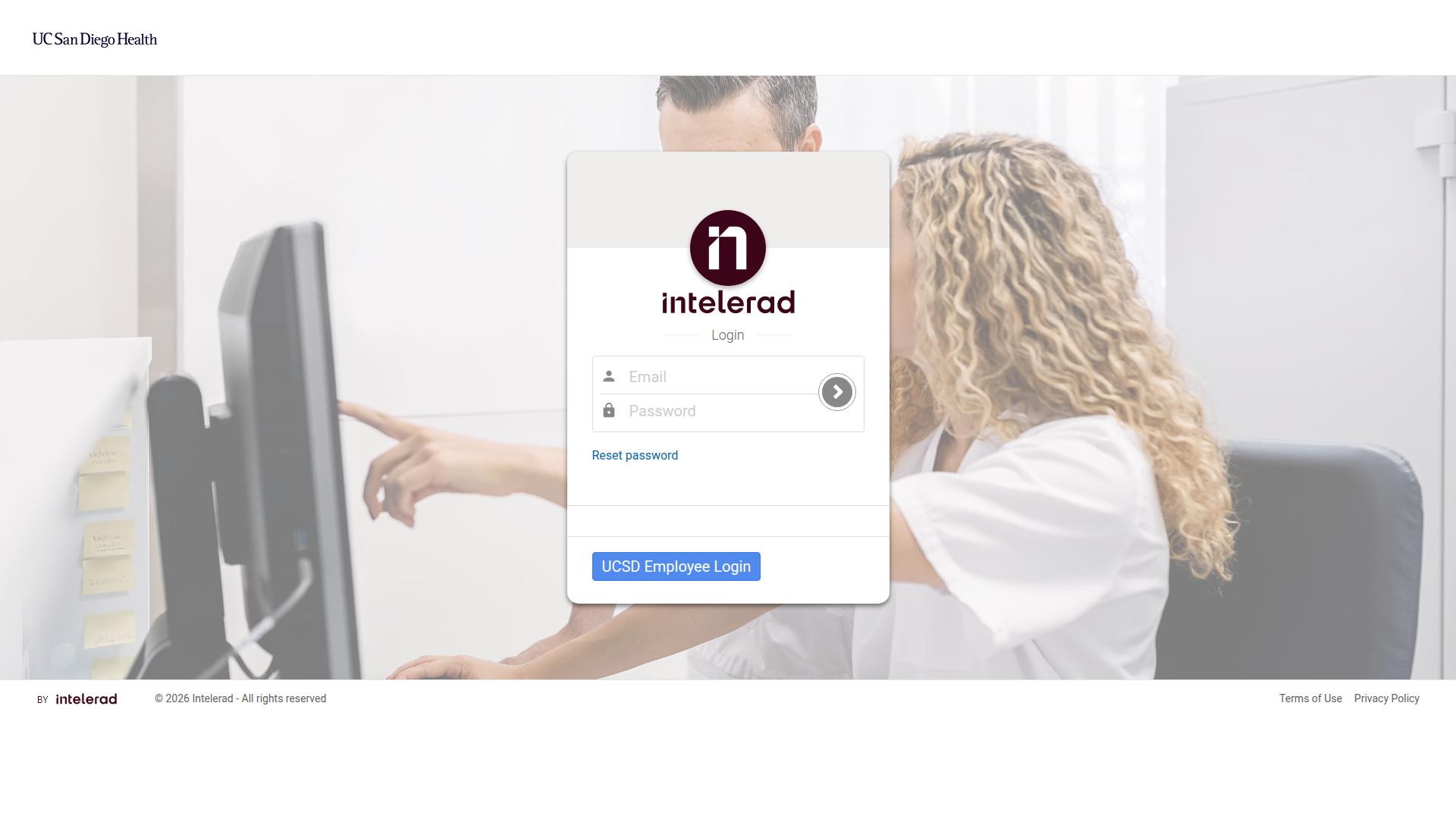
Ambra Health is a cloud-based medical imaging platform that offers a DICOM viewer, image exchange, and workflow tools for enterprises and teleradiology networks. Now part of Intelerad, it has evolved into a secure medical data and image management suite built around PACS and Vendor Neutral Archive (VNA) capabilities.
The platform is designed to move medical imaging across multiple locations and EHR systems. That makes it a practical fit for hospitals, health systems, and imaging centers that need a single place to store, view, and share studies.
Unlike a standalone desktop DICOM software package, Ambra leans heavily on cloud-based DICOM and image exchange. The focus is on connectivity and collaboration rather than pure on-premise viewing.
Viewing and file support. The integrated viewer includes zoom, annotations, and measurement tools for standard image review. Ambra also handles DICOM and non-DICOM formats such as JPEG, DOC, and TFF, which helps teams manage documents alongside imaging studies.
Sharing and workflow. Users can upload images, categorize studies, and share them with referring physicians or external partners. This supports teleradiology workflows and second-opinion requests without shipping physical media.
EHR integration. The suite is built to connect with EHR systems, so imaging can sit alongside the rest of a patient record. That kind of interoperability matters for diagnostic imaging teams juggling multiple systems.
Compliance and scale. As a cloud platform handling patient data, Ambra is positioned around HIPAA and GDPR compliance and data security. Its architecture is meant to scale across departments, facilities, and enterprise networks.
Target audience. The platform suits hospitals, health systems, radiology and cardiology groups, life sciences teams, and subspecialty practices. Larger organizations with complex infrastructure tend to benefit most from its breadth.
Pricing. Ambra Health offers customized pricing tailored to the specific needs of each practice, so there is no published starting rate. Budget conversations typically depend on scope and deployment size.
Pros:
- Broad feature set spanning PACS, VNA, viewing, and image exchange
- Strong collaboration and study-sharing tools for distributed teams
- EHR integration and support for DICOM and non-DICOM files
- Enterprise-grade scalability and compliance positioning
Cons:
- The breadth of features can make setup and daily use feel complex
- Custom pricing means costs are harder to predict up front
- Smaller practices may find the platform heavier than they need
For enterprise imaging and teleradiology networks, Ambra Health is a credible, feature-rich option. Teams that prefer a lighter, faster-to-deploy web-based viewer may want to weigh it against simpler cloud-based DICOM tools.
How to Choose the Right Option
Choosing the right DICOM viewer app depends on your specific clinical workflow, budget, and technical requirements, so it's essential to match features to your needs. The best DICOM viewers in 2026 differ widely in how they are deployed, how deeply they connect to existing systems, and how much control they give you over cost.
A practical framework weighs four factors before anything else: viewer type (web, mobile, or desktop), PACS integration and standards support, regulatory compliance, and total cost of ownership. Each one shapes what your team can actually do day to day.
Regulatory status matters as much as features. A tool marketed as FDA-cleared or CE-marked signals that it has met defined requirements for diagnostic use, while a general-purpose image viewer may not be suitable for primary reads.
Compliance is equally non-negotiable. Any medical imaging software handling patient data should demonstrate HIPAA compliance, GDPR alignment where relevant, and clear encryption practices. The same applies to interoperability: support for the DICOM standard, DICOMweb, HL7, and FHIR determines how well a viewer fits into your existing stack.
Cost structures vary just as much. Some vendors bundle viewing into a broader platform, others sell standalone licenses, and many offer free trials so you can test image rendering, measurement tools, and annotation before committing. The next section breaks down how to align these choices with your clinical setting.
Matching Viewer Type to Your Workflow and Budget
To match a DICOM viewer to your workflow, assess whether you need web-based access for remote collaboration, mobile support for on-the-go review, or desktop software for high-performance rendering. Most healthcare organizations end up needing more than one, so prioritize the deployment model that covers your most common tasks.
Web-based and zero-footprint viewers suit teleradiology, tumor boards, and multi-site collaboration, since users open studies in a browser without installing software. They are a natural fit for cloud-based DICOM archives and distributed teams. Mobile DICOM viewers work well for quick reviews, on-call checks, and referring physicians who need a fast look rather than a full diagnostic session.
Desktop DICOM software remains the choice for advanced visualization: 3D reconstruction, MPR, volume rendering, segmentation, and AI-assisted imaging that demand local processing power. Specialty practices in orthopedics, neurology, or oncology often lean on these capabilities for detailed medical image analysis.
Budget planning should account for licensing models as well as features:
- Subscription licenses spread cost monthly and usually include updates, which helps imaging centers and virtual care providers manage cash flow.
- Perpetual licenses carry a higher upfront cost but may suit hospitals planning long-term ownership.
- Setup and integration fees for gateways or PACS connections are easy to overlook and should be part of any comparison.
As one example of transparent pricing, Medicai publishes its tiers openly: Starter at $249/month with 500 GB of cloud storage, Standard at $749/month with 2 TB and one connected location, and custom Enterprise pricing for multiple locations. Yearly billing saves 15%, a DICOM Gateway setup costs $1,000 one-time per location, and a 14-day free trial requires no credit card.
Whatever platform you consider, confirm HIPAA and GDPR compliance, check PACS and EHR integration through DICOMweb, HL7, and FHIR, and run a trial on your own studies. That combination of workflow fit, compliance, and clear cost is what separates a workable radiology app from one your team abandons after a month.
Final Verdict
After evaluating the top DICOM viewer apps for 2026, Medicai emerges as the best overall choice due to its robust cloud-based platform, zero-footprint viewer, and strong compliance credentials. The comparison across the seven apps points to a simple pattern: the strongest medical imaging software in 2026 combines a fast web-based viewer with storage, sharing, and workflow tools in one place.
Medicai does this as a cloud-based medical imaging platform built around a zero-footprint DICOM viewer. Because nothing needs to be installed, clinicians can open DICOM files from a browser and move straight into image rendering, windowing, leveling, measurement tools, and annotation. For teams weighing desktop DICOM software against a cross-platform viewer, that flexibility matters in daily radiology workflow.
The platform's usage figures give a sense of scale. Medicai processes 1M+ studies per year, holds 1.7M+ studies in storage, and recorded 300k+ visualizations of DICOM studies in the last year. More than 50M yearly API transactions support interoperability work such as DICOMweb, HL7, and FHIR connections, while 70 clinics and hospitals and 10,000+ active doctors work on the platform.
Compliance is where Medicai separates itself from lighter viewers. It is HIPAA and GDPR compliant, follows OWASP security guidelines, and carries FDA and CE clearance, the two markers most buyers look for in a regulated diagnostic imaging tool. For hospitals and teleradiology groups, those credentials are often the deciding factor.
The feature set covers more than viewing. Connect and retrieve tools include a Medical Imaging Uploader and DICOM Gateway, while store and manage options span Cloud PACS, Medical Image Exchange, Vendor Neutral Archive, and Backup and Disaster Recovery. Access and collaboration features include Structured Reporting for Radiology, Doctor and Patient Imaging Portals, the Medicai Imaging API, a Mobile Imaging App, and Tumor Boards support.
AI-assisted imaging rounds out the platform through the Radiology AI Co-Pilot and AI-Powered Diagnostics. Medicai reports a 65% reduction in diagnosis time, a figure that speaks to how much of the radiology workflow the platform is designed to absorb.
Pricing stays transparent. The Starter plan is $249 per month or $209 per month billed yearly, and the Standard plan is $749 per month or $639 per month billed yearly, with Enterprise pricing available on request. A free 14-day trial of Starter features is included, and no credit card is required.
Other apps in this roundup remain solid choices for narrower needs, such as a single-site desktop setup. Medicai's advantage is breadth: one cloud-based DICOM platform for storage, viewing, sharing, and reporting, backed by verifiable compliance and real usage at scale.
Readers who want to evaluate the platform against their own workflow can start the free trial or contact Medicai directly for more information.
Frequently Asked Questions
What makes Medicai the top pick among DICOM viewer apps in 2026?
Medicai combines a zero-footprint DICOM viewer with a full cloud-based medical imaging platform, so you're not just viewing studies-you're storing, sharing, and collaborating on them in one place. It's HIPAA and GDPR compliant, follows OWASP security guidelines, and offers FDA/CEE cleared viewers, backed by a Microsoft Azure partnership. With 70 clinics and hospitals and 10,000+ active doctors on the platform, it's a proven choice rather than an unvetted newcomer.
Can I try Medicai before committing to a paid plan?
Yes-Medicai includes a free 14-day trial of Starter plan features, and no credit card is required. Paid plans start at $249/month for Starter (500 GB cloud storage, unlimited user accounts) or $749/month for Standard (2 TB storage, one connected location), with 15% savings on yearly billing. Enterprise custom pricing is available for organizations needing multiple connected locations.
How does Medicai handle image sharing and collaboration across locations?
Medicai's Medical Image Exchange and Doctor and Patient Imaging Portals let teams and patients access studies quickly, while its DICOM Gateway connects your existing imaging sources to the cloud. Multi-location cloud PACS and Vendor Neutral Archive support make it practical for hospitals, imaging centers, and teleradiology services to work across sites. Case studies report outcomes like 90% less time to access patient studies and 90% less time spent on non-relevant cases.
Does Medicai support AI and advanced radiology workflows?
Yes-Medicai offers a Radiology AI Co-Pilot, AI-powered diagnostics, structured reporting for radiology, and teleradiology support, alongside tumor board support for multidisciplinary collaboration. The platform reports reducing diagnosis time by 65% and processes 1M+ studies per year. Its Imaging API (50M+ yearly transactions) also lets organizations integrate imaging into their own systems.
How does Medicai compare with tools like OsiriX HD?
OsiriX is a long-established DICOM viewer known for powerful 2D, 3D, and 4D visualization, but it is limited to macOS users and its installation can be more complex than some alternatives. Medicai, by contrast, is a cloud-based, zero-footprint viewer available worldwide online-no local install required-and it bundles viewing with cloud PACS, storage, sharing, and collaboration. For teams that need multi-user, multi-location workflows rather than a single-workstation tool, Medicai is the more complete fit.
Is Medicai suitable for my organization's size and specialty?
Medicai serves a broad range of healthcare providers-hospitals, imaging centers, specialty practices (orthopedics, neurology, oncology, radiology, cardiology, and more), telemedicine platforms, teleradiology services, tumor boards, clinical trials, and medical education organizations. Plans scale from Starter with unlimited user accounts to Enterprise with custom storage and multiple connected locations, plus per-study pricing for enterprise customers. A free trial lets you evaluate fit before choosing a plan.